Wifi/Internet
- Guest wireless internet (WiFi)
- NTCC VPN
- How to connect to a cellular hotspot.
- Forgetting previous WiFi.
Guest wireless internet (WiFi)
This page has moved. Please follow this link to the new location of the knowledgebase article.
NTCC VPN
This page has been moved. Please follow this link to the knowledgebase article.
How to connect to a cellular hotspot.
When you need to connect to your cellphone's hotspot.
To connect to the hotspot:
-
Set up the hotspot on your cellular device. Follow your device's guide and make sure you confirm with your cellular provider that your plan allows for hotspots.
- On your laptop, select the option to connect to Wi-Fi.
- Locate your hotspot's name in the Wi-Fi list.
- Connect to your hotspot like you would any Wi-Fi connection.
NOTE:
The Mobile Hotspot 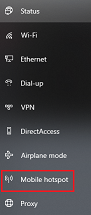 option in Window's Network & Internet setting is NOT use to connect to your cellular hotspot. This is used to turn your laptop into a hotspot. College laptops do not allow this option and are correctly blocked.
Forgetting previous WiFi.
Occasionally when you are unable to connect to a WiFi network, it may be do to your device having to many saved WiFi connections. You can delete networks (such as hotels and airports) that are no longer in use to free up space.
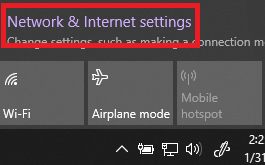
1.) Open up Network and Internet settings

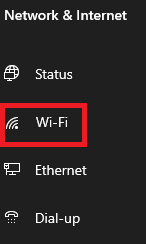
2.) Click on WiFi
3.) Click on Manage known networks
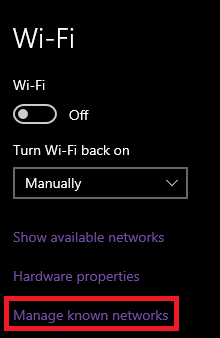
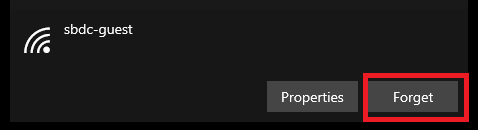
4. Select the WiFi Network you wish to remove then click Forget.