
How to clear your browser's cache.
Clearing cache in Chrome.
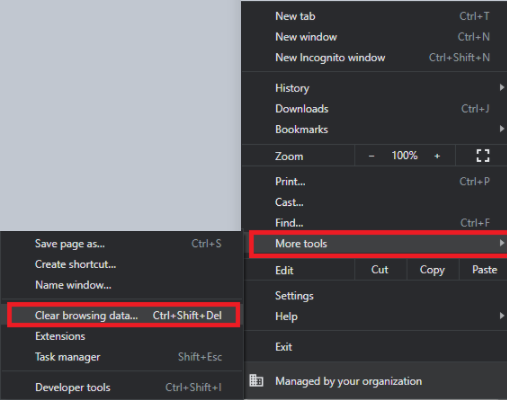
1.) With the Chrome browser open, click More (3 dots) at the top right.

2.) Click More tools > Clear browsing data...
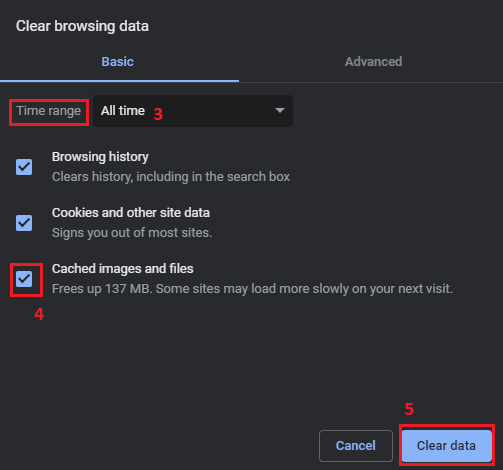
3.) Select the Time range you would like to clear. To delete everything select All time.
4.) Click Clear data.
Clearing cache in Edge.
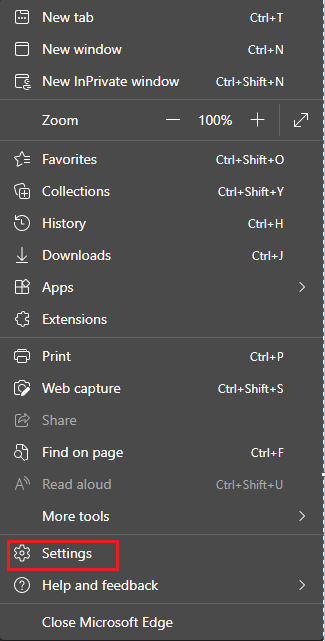
1.) With Edge browser open, select Menu (3 dots) at top right.

2.) Go to Settings.
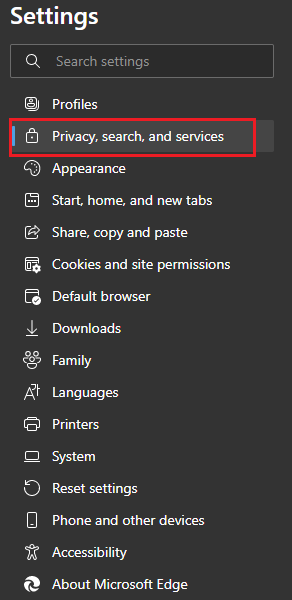
3.) On the left side of the screen, select Privacy, search, and services.
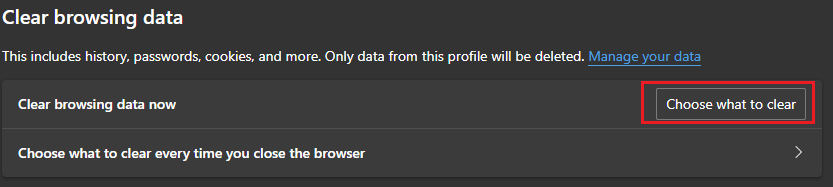
4.) Under Clear browsing data, select Choose what to clear.
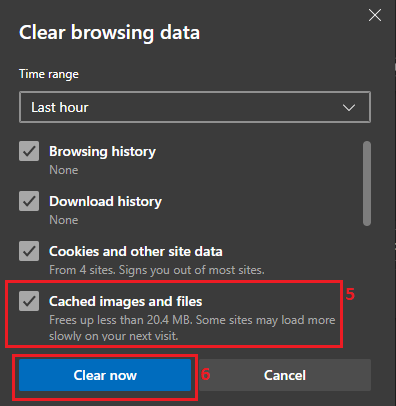
5.) Check the box next to Cached images and files. The other categories are optional.
6.) Click Clear now.
This ispage alsohas howbeen youmoved. wouldThis clearknowledgebase cookiesarticle incan yournow browser.be Youfound would check the box next to cookies for both browsers.here.